

Learn Arduino, lesson 22 of 22
How to connect the HC-SR04 with the Arduino Uno?
Introduction
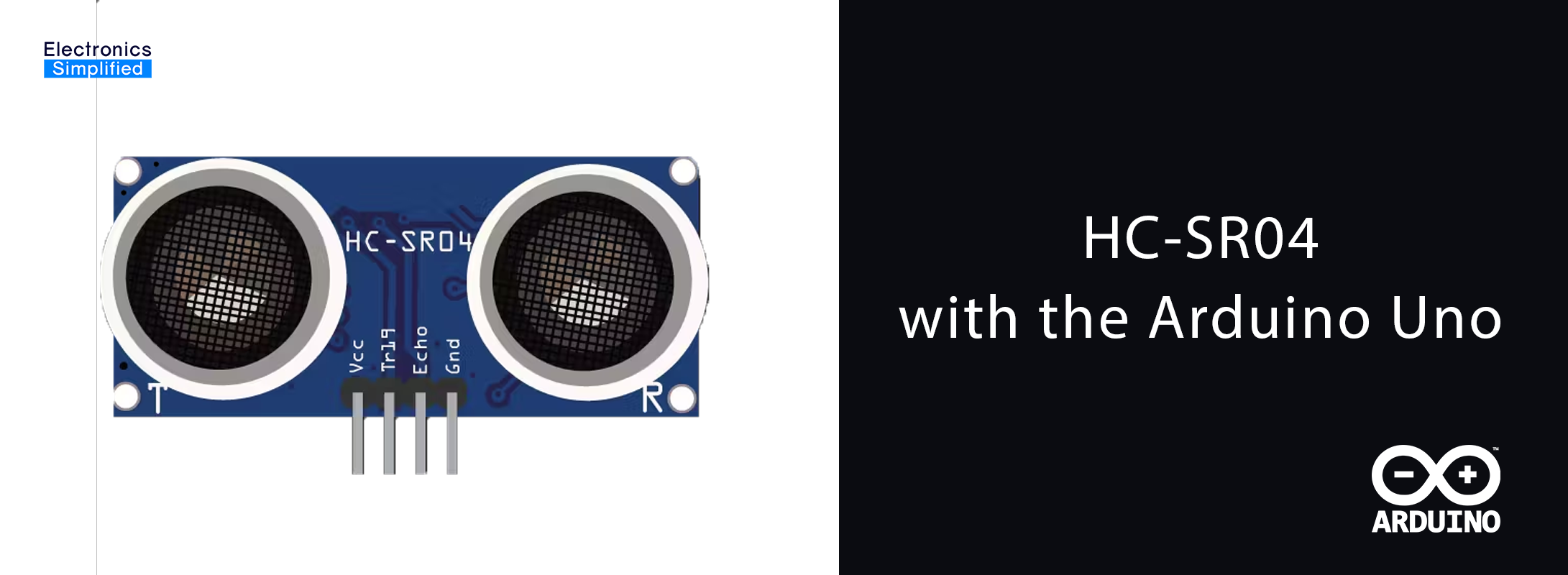
If you need to measure distance within a range of 0-13 feet or detect an object within this range, the HC-SR04 ultrasonic sensor is the perfect choice. The HC-SR04 uses ultrasound for detecting solid objects and measuring the distance to them. This sensor has numerous applications in real-world scenarios, including robotics, security systems, and automation projects.
Working Principle
In this project, we will measure the distance from the HC-SR04 sensor to an obstacle and display the measured distance on an LCD screen. The sensor works by sending an ultrasonic pulse (40kHz) from the Trigger (Trig) pin and receiving the reflected pulse on the Echo pin.
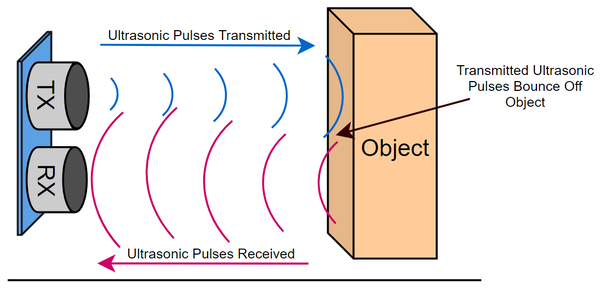
Ultrasound is a high-pitched sound wave with a frequency exceeding the human audible range. Humans can hear sound waves vibrating between 20Hz and 20,000Hz, while ultrasound waves, such as those used by the HC-SR04, have a frequency of 40,000Hz, making them inaudible to humans. Some animals, however, can hear ultrasound.
Few things you might need to know before we get going :
- Installation of the Arduino IDE
- Digital Inputs and Outputs with the Arduino
- How to import Libraries in the Arduino IDE
Components Required
- HC-SR04 Ultrasonic Sensor
- Arduino Uno / Any other Arduino
- Breadboard
- Jumper Cables
- 16x2 LCD Display
- I2C module for the display
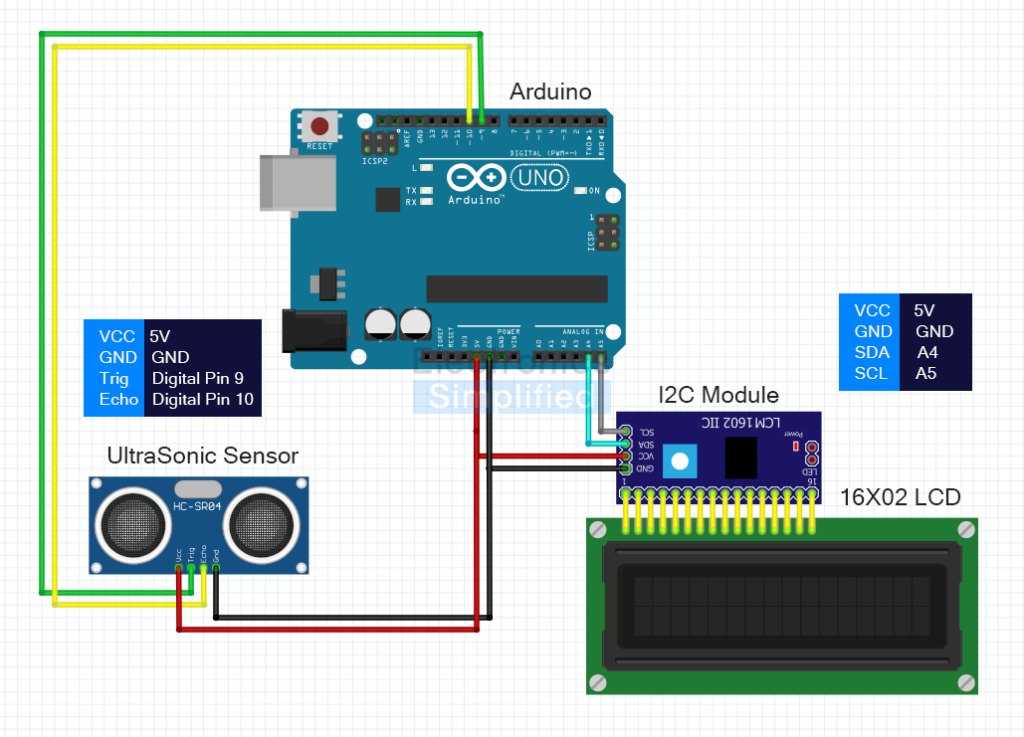
Circuit diagram
Code
#include <Wire.h>
#include <LiquidCrystal_I2C.h>

// Initialize the LCD display with I2C address 0x27 and 16x2 characters
LiquidCrystal_I2C lcd(0x27, 16, 2);

const int trigPin = 9;
const int echoPin = 10;
long duration;
int distance;

void setup() {
  lcd.begin();
  lcd.backlight(); // Turn on the LCD backlight

  pinMode(trigPin, OUTPUT); // Set the trigPin as an OUTPUT
  pinMode(echoPin, INPUT);  // Set the echoPin as an INPUT

  lcd.setCursor(0, 0);
  lcd.print("Distance:"); // Print a static message on the LCD
}

void loop() {
  // Clear the trigPin by setting it LOW
  digitalWrite(trigPin, LOW);
  delayMicroseconds(2);

  // Set the trigPin HIGH for 10 microseconds to send the pulse
  digitalWrite(trigPin, HIGH);
  delayMicroseconds(10);
  digitalWrite(trigPin, LOW);

  // Read the echoPin, which returns the time (duration) in microseconds
  duration = pulseIn(echoPin, HIGH);

  // Calculate the distance in cm
  distance = duration * 0.034 / 2;

  // Display the distance on the LCD
  lcd.setCursor(0, 1); // Move to the second line
  lcd.print(distance); // Print the distance
  lcd.print(" cm   "); // Add unit and spaces for clearing old data

  delay(500); // Wait for 0.5 seconds before the next measurement
}
Conclusion
You've successfully connected and interfaced the HC-SR04 ultrasonic sensor with an Arduino Uno to measure and display distance on a 16x2 LCD screen. This project can be further customized and expanded upon based on your specific requirements. For example, you could integrate the sensor into a robotic system for obstacle avoidance or use it in a home automation system for object detection. Have fun experimenting and exploring the possibilities!