

ESP32, ESP8266 & Raspberry Pi, lesson 2 of 26
Pulse Width Modulation with NodeMCU ESP8266
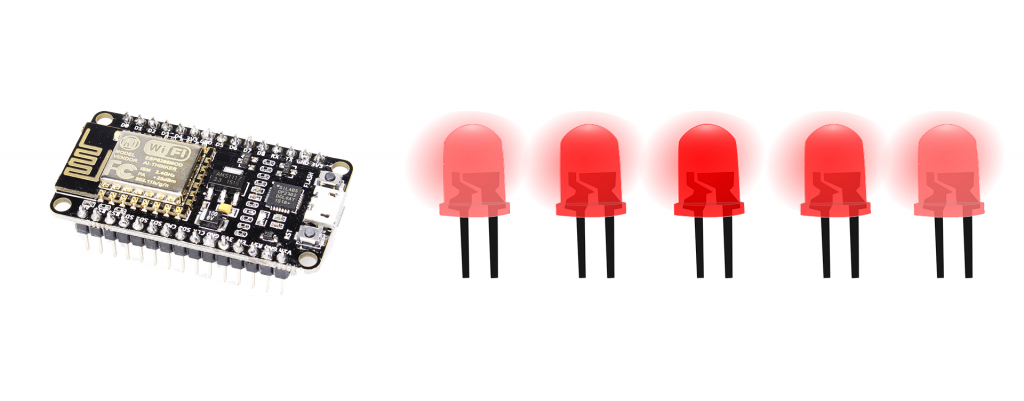
Digital signals have two positions: on or off, interpreted in shorthand as 1 or 0. Analog signals, on the other hand, can be on, off, half-way, two-thirds the way to on, and an infinite number of positions between 0 and 1 either approaching 1 or descending down to zero. So Basically the quick switching appears to us as fading, lets observe it with the activity.
Introduction
Image you never had the option to control your music volume. Thought about it? There you go there are several such reasons why we needed to have to potentiometer to control the volume in our boomboxes. But now out phones are digital devices and have no potentiometer. These are replaced by modern electronics, so lets learn about it.
Working Principle of the PWM pins on the NodeMCU ESP8266
The NodeMCU can deliver two voltages as a digital device i.e. 0V and 3.3V.
These GPIO pins can mimic the mid voltages with the help of turning ON and OFF in quick duty cycles. That is how we will see the LED fade with this technique. If a LED is made to blink quickly our eyes would have not realized the quick due to the response our eye. Learn about Persistence of Vision and human Eye.
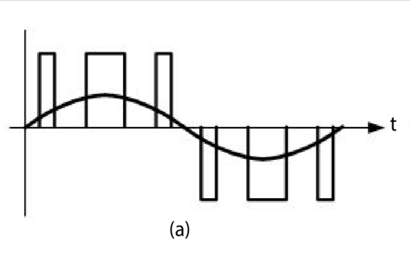 Pulse Width Modulated Signal
analogWrite(pin, value);
analogWrite( ) : this function varies the duty cycle of the output
pin : We can use pins 0-16 on the NodeMCU ESP8266
value : 0~1023 is by default and refers to 100% duty cycle. You can change the range by analogWriteRange(new_range);
NodeMCU ESP8266 - Fading In and Out a LED Project
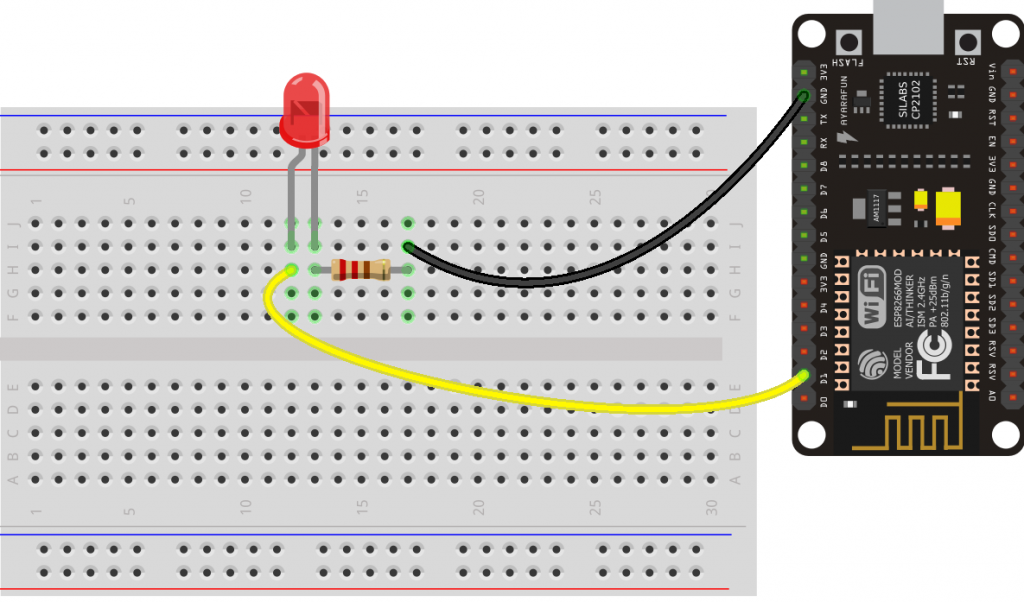
To demonstrate the PWM on the NodeMCU ESP8266. We are going to face a LED with the help of pure programming.
Components required
- ESP8266
- LED x 1
- 220Ω Resistor x 1
- Breadboard
- Jumper Wires
Circuit Diagram
Code
const int ledPin = 5;

void setup() {

}

void loop() {
  // To Increase LED brightness
  for(int Duty_Cycle = 0; Duty_Cycle < 1023; Duty_Cycle++){
    analogWrite(ledPin, Duty_Cycle);                          // changing the LED brightness with PWM
    delay(10);
  }

  // To Decrease LED brightness
  for(int Duty_Cycle = 1023; Duty_Cycle > 0; Duty_Cycle--){
    analogWrite(ledPin, Duty_Cycle);                          // changing the LED brightness with PWM
    delay(10);
  }
}
Conclusion
The LED will fade in and Fade out . You can change the value of the delay in the code to higher or lower if you wish to fade the LED quicker or slower.