

Coding & Web, lesson 6 of 12
Code for DHT11 Sensor Reading Web Application
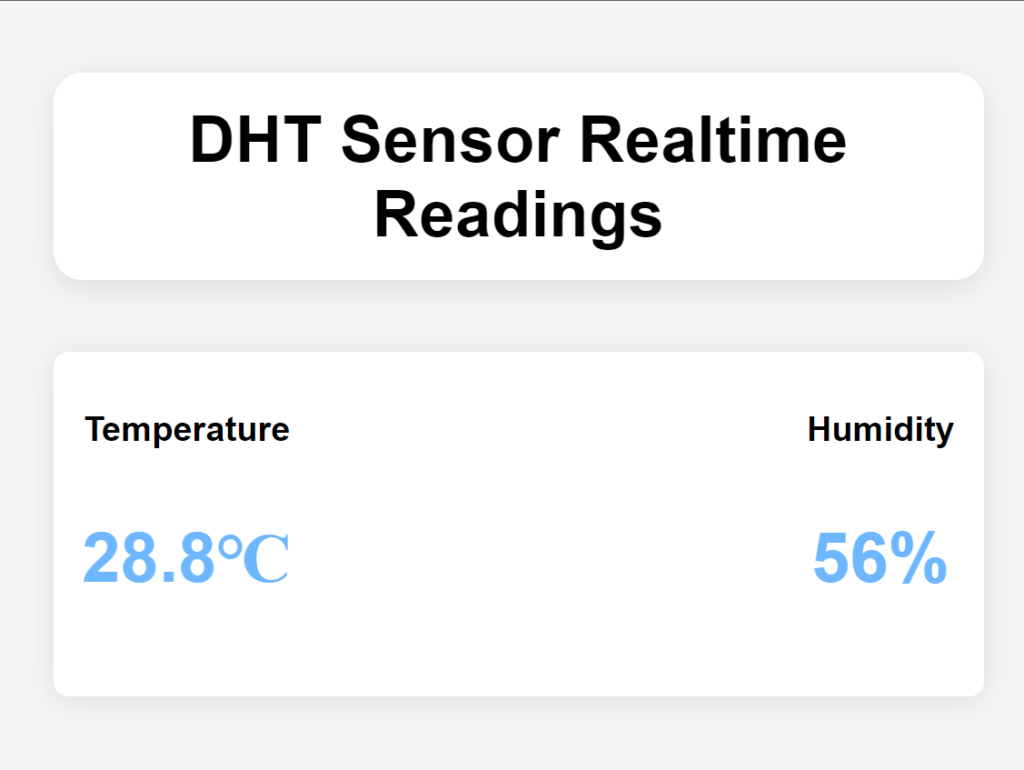
<!DOCTYPE html>
<html>
<head>
<meta charset="utf-8">
<meta name="viewport" content="width=device-width, initial-scale=1">
<title>DHT Readings</title>
<style type="text/css">
body{
background-color: #F5F5F5;
font-family: Arial, sans-serif;
margin: 0;
padding: 0;
}
.data-container{
display: flex;
justify-content: space-between;
width: 50%;
margin: 50px auto;
padding: 20px;
background-color: #FFF;
box-shadow: 0 2px 20px rgba(0, 0, 0,0.1);
border-radius: 10px;
}
.data-item{
text-align: center;
}
.data-item h2{
font-size: 24px;
font-weight: bold;
margin-bottom: 10px;
}
.data-item p{
font-size: 48px;
font-weight: bold;
color: #6EB7FF;
}
.data-head{
margin: auto;
width: 50%;
text-align: center;
font-size: 45px;
font-weight: bold;
margin: 50px auto;
padding: 20px;
background-color: #FFF;
box-shadow: 0 5px 20px rgba(0, 0, 0, 0.1);
border-radius: 20px;
}
</style>
</head>
<body>
<div class="data-head">DHT Sensor Realtime Readings</div>
<div class="data-container">
<div class="data-item">
<h2>Temperature</h2>
<p class="value" id="temperature">22 ℃</p>
</div>
<div class="data-item">
<h2>Humidity</h2>
<p class="value" id="humidity">10%</p>
</div>
</div>
<!-- the scripts for products you want to access must be added-->
<script src="https://www.gstatic.com/firebasejs/8.6.8/firebase-app.js"></script>
<script src="https://www.gstatic.com/firebasejs/8.6.8/firebase-database.js"></script>
<script type="module">
// Import the functions you need from the SDKs you need
import { initializeApp } from "https://www.gstatic.com/firebasejs/9.20.0/firebase-app.js";
// TODO: Add SDKs for Firebase products that you want to use
// https://firebase.google.com/docs/web/setup#available-libraries
// Your web app's Firebase configuration here (Do not use the existing configuration)
const firebaseConfig = {
apiKey: "thisisyourapikeyheredontusemine",
authDomain: "fir-database-connection-343f0.firebaseapp.com",
databaseURL: "https://fir-database-connection-343f0-default-rtdb.asia-southeast1.firebasedatabase.app",
projectId: "fir-database-connection-343f0",
storageBucket: "fir-database-connection-343f0.appspot.com",
messagingSenderId: "252315881961",
appId: "1:252315881961:web:15f2a5550e286320aa7b78"
};
// Initialize Firebase
firebase.initializeApp(firebaseConfig);
// getting reference to the database
var database = firebase.database();
//getting reference to the data we want
var dataRef1 = database.ref('DHT_11/Humidity');
var dataRef2 = database.ref('DHT_11/Temperature');
//fetch the data
dataRef1.on('value', function(getdata1){
var humi = getdata1.val();
document.getElementById('humidity').innerHTML = humi + "%";
})
dataRef2.on('value', function(getdata2){
var temp = getdata2.val();
document.getElementById('temperature').innerHTML = temp + "℃";
})
</script>
</body>
</html>